
Aureo.io API Documentation
Welcome to the Aureo.io API documentation. Aureo.io is a powerful low-code platform designed to simplify the adoption of artificial intelligence. Our platform offers a wide range of features to help you harness the power of AI, from building custom models to creating intelligent workflows. Below is an overview of the key functions available on Aureo.io.
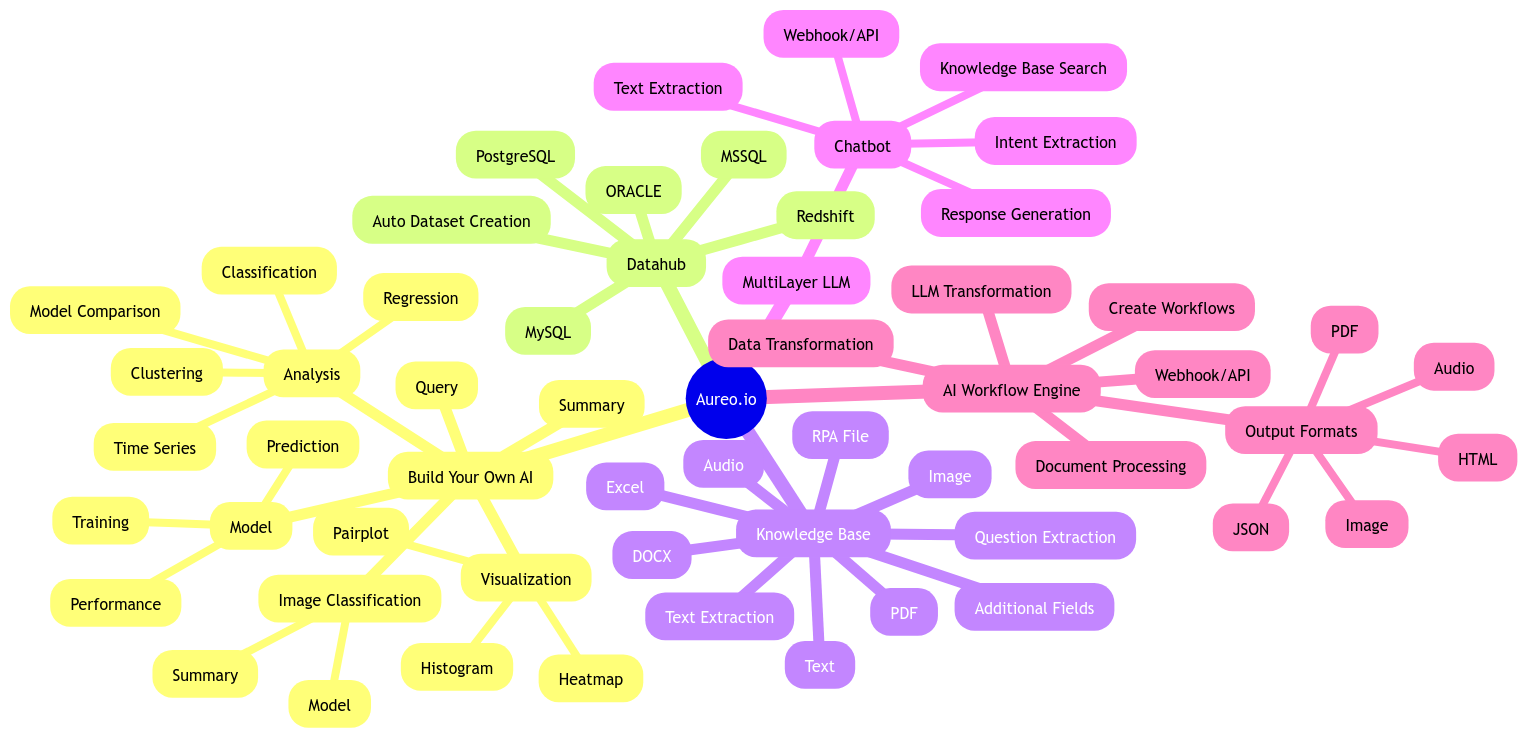
Features Overview
1. Build Your Own AI
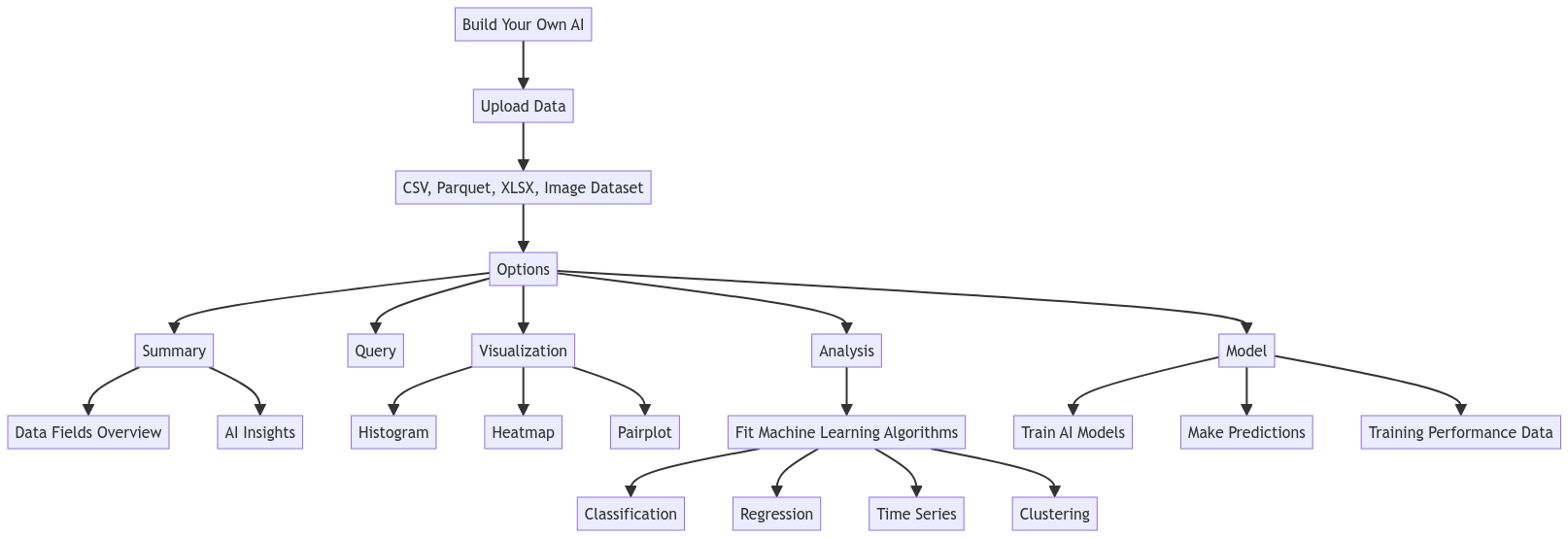
This feature allows users to upload their datasets (CSV, Parquet, or XLSX) to explore and create AI models. Once the data is uploaded, users can:
- Summary: View a summary of the data, including fields and AI-generated insights.
- Query: Perform queries on large datasets stored in our Big Data infrastructure, enabling better data manipulation.
- Visualization: Visualize data with fixed images representing histograms, heatmaps, and pairplots.
- Analysis: Use your data to determine the best machine learning algorithm based on your needs (classification, regression, time-series, or clustering). Configure fields and sample size, and compare approximately 60 algorithms to find the best fit. You can then create a model directly from the chosen algorithm.
- Model: Build AI models, train them, and use them for predictions. View performance data of the training process.
This feature also supports uploading image datasets for classification using deep learning, with options for "Summary" and "Model" only.
Endpoints for Build Your Own AI
dataset/...training/...model/...
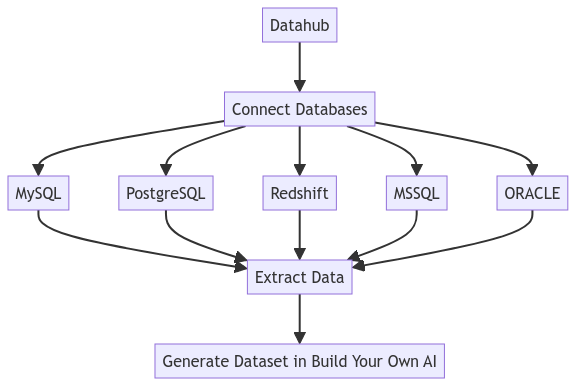
2. Datahub
Connect to various databases including MySQL, PostgreSQL, Redshift, MSSQL, and ORACLE. After connecting your database, you can perform queries to automatically generate datasets for use in the "Build Your Own AI" feature.
Endpoints for Datahub
datahub/...
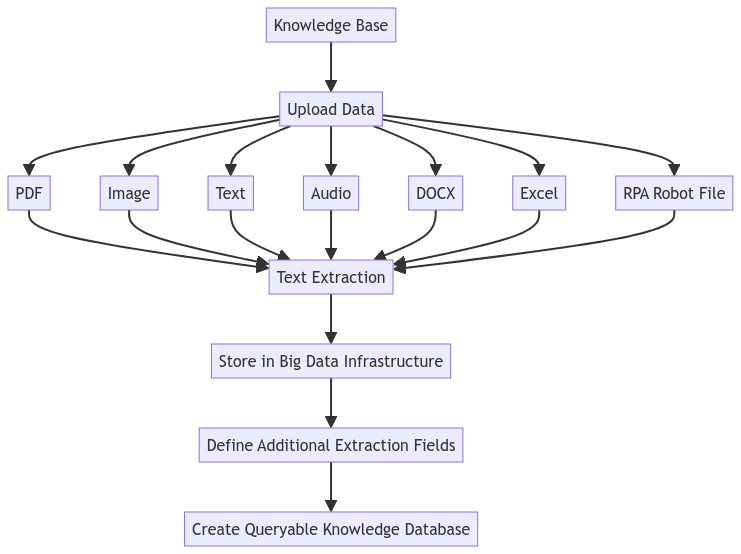
3. Knowledge Base
Create a knowledge base system by uploading various data types such as PDF, Image, Text, Audio, DOCX, Excel, and RPA .ROBOT files. Uploaded files are textually extracted and stored in a Big Data infrastructure. Users can define additional extraction fields and set questions to be extracted from the document text using AI, creating a comprehensive data library.
Endpoints for Knowledge Base
knowledge-base/collector/...knowledge-base/explorer/...
4. MultiLayer LLM
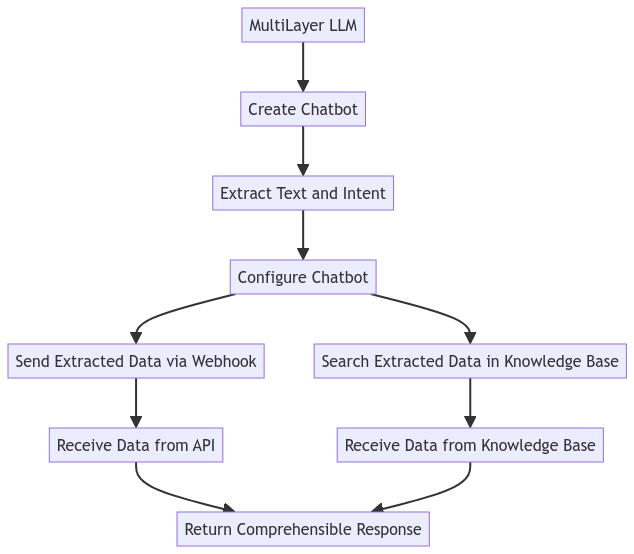
Create chatbots with two layers of Large Language Models (LLMs). The first layer extracts information and intent from the input text. Users can configure the chatbot to:
- Send extracted data via Webhook to an API
- Retrieve extracted data from Aureo's "Knowledge Base"
The second LLM layer processes the returned information (from Webhook or Knowledge Base) and generates a comprehensible response.
Endpoint for MultiLayer LLM
multilayer-llm/...
5. AI Workflow Engine
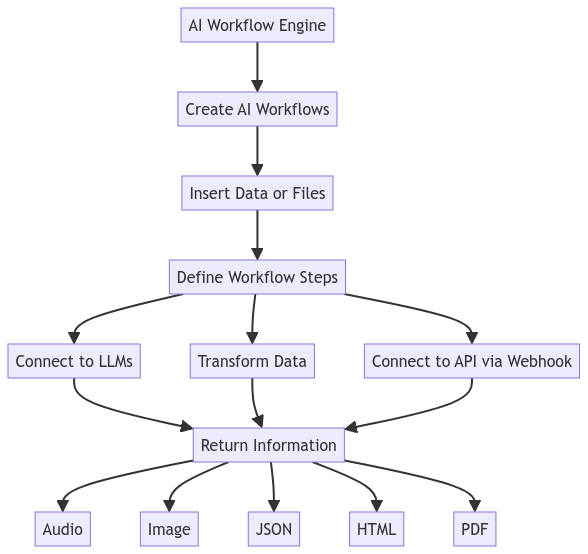
Create AI workflows that can be invoked as needed. For example, create a workflow that receives a document (PDF, audio, text) and transforms it into an image. This feature allows for multiple steps, including connecting to LLMs, inserting data or files, returning information as audio, image, JSON, HTML, or PDF, connecting to an API via Webhook, or transforming data.
Endpoint for AI Workflow Engine
awe/...
How to Get Your Credentials?
Our credentials structure is based on api_key and api_secret. In order to get yours, just make a registration at https://platform.aureo.io.
Contact
If you have questions, send an email to [email protected].
Explore the full potential of Aureo.io and integrate AI seamlessly into your workflows with our comprehensive API. Happy coding!